


GenshinFlex for PC
An overlay with character guides, banners and a wish tracker. Press Alt+G to open it.
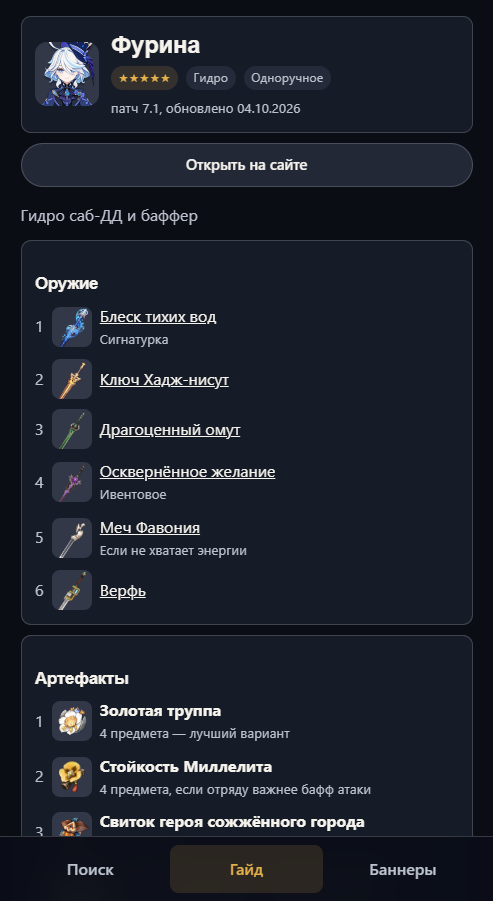
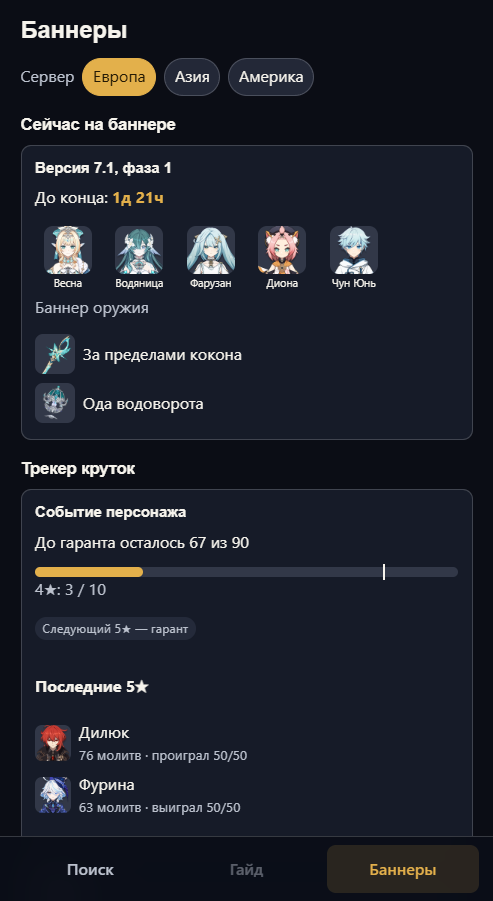
Features
- A guide for any character in a narrow panel.
- Current banners and a pity counter.
- Switches to the character guide or banners by itself when you open them in the game.
- New wishes appear automatically when you open wish history in the game.
- Sign in to GenshinFlex with email, Discord or Google; your history syncs with the site.
- The app updates automatically; you can check for updates in the tray menu.
How to use it
- Install the app.
- Press Alt+G to show or hide the panel.
- Run the game in Windowed or Borderless mode: the panel is not visible in Fullscreen mode.
- Use the tray icon to enable startup or quit the app.
Windows may warn you about an unknown publisher — select ‘More info’ → ‘Run anyway’.
Is it safe?
The app does not interfere with the game: it does not inject into its process, read memory or intercept graphics.
It reads the game cache file to find the wish history link, as the tracker page script does. The link goes only to HoYoverse through our server and is not stored.
To know which screen is open, the app looks at the title in the top-left corner of the game about once a second and reads the text with built-in Windows tools. Captures are not saved or sent anywhere, and recognition can be turned off in the tray menu.
The app opens GenshinFlex website pages; they cannot access your computer.
We cannot guarantee HoYoverse’s position on third-party software, but the app works like popular wish trackers.